> For the complete documentation index, see [llms.txt](https://www.analytics-docs.laplacetec.com/guide/llms.txt). Markdown versions of documentation pages are available by appending `.md` to page URLs; this page is available as [Markdown](https://www.analytics-docs.laplacetec.com/guide/en/customdashboard/custom/table.md).

# Table view

{% hint style="info" %}
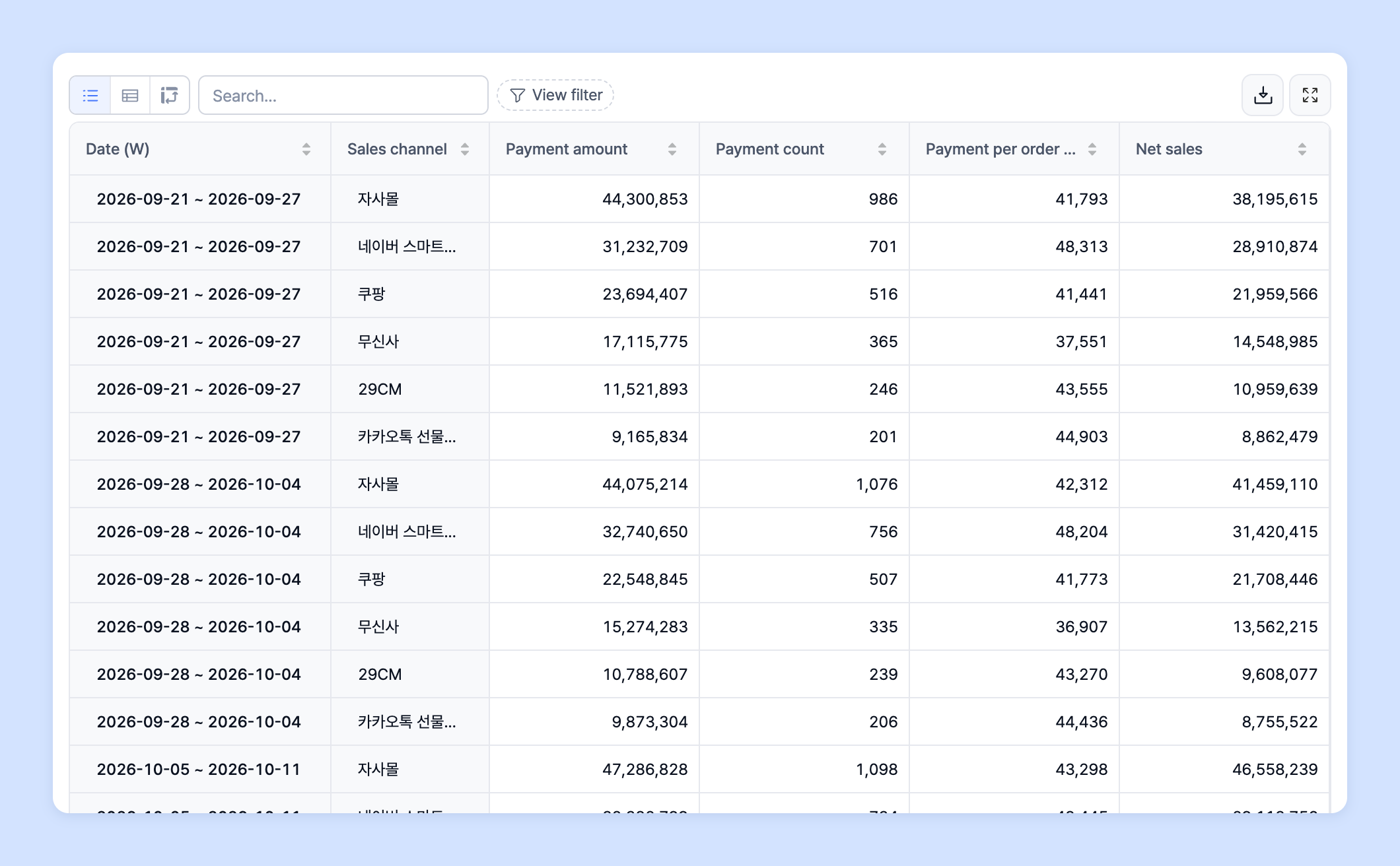
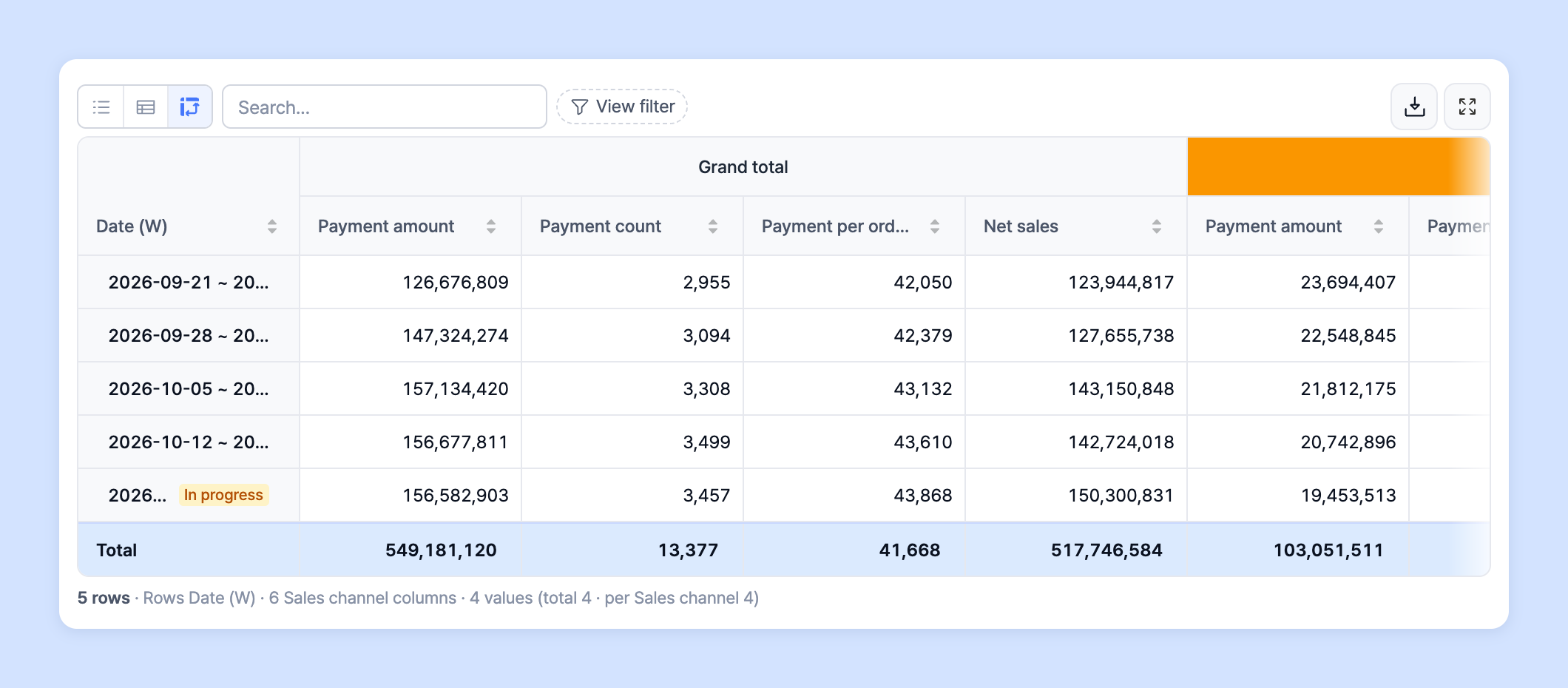
On the **Table** tab of the settings panel on the right side of the chart editor, you can switch the **Table type** between three options: List · Snapshot · Pivot. These are not different charts but different ways of displaying the same table, and you can customize each view to suit the analysis you want. If you choose [Table](/guide/en/customdashboard/custom/chart/table.md) as the chart type, only the table is shown, without a chart.
{% endhint %}

* See the tables Laplace provides below for how to use them and tips.

<table data-view="cards"><thead><tr><th align="center"></th><th data-hidden data-card-target data-type="content-ref"></th><th data-hidden data-card-cover data-type="files"></th></tr></thead><tbody><tr><td align="center">List table</td><td><a href="/guide/en/customdashboard/custom/table/list.md">List table</a></td><td><a href="https://616205588-files.gitbook.io/~/files/v0/b/gitbook-x-prod.appspot.com/o/spaces%2Fqr1veGyUqCNwQBBmk3yt%2Fuploads%2Fgit-blob-a3ea92471c61c22eac6dcc1c2bdf57b4325dd2e5%2Fcustomdashboard__custom__table__01.png?alt=media">customdashboard__custom__table__01.png</a></td></tr><tr><td align="center">Snapshot table</td><td><a href="/guide/en/customdashboard/custom/table/snapshot.md">Snapshot table</a></td><td><a href="https://616205588-files.gitbook.io/~/files/v0/b/gitbook-x-prod.appspot.com/o/spaces%2Fqr1veGyUqCNwQBBmk3yt%2Fuploads%2Fgit-blob-2ff4edb5861b50ea8f4f0b48c90deb6fc3f944bd%2Fcustomdashboard__custom__table__02.png?alt=media">customdashboard__custom__table__02.png</a></td></tr><tr><td align="center">Pivot table</td><td><a href="/guide/en/customdashboard/custom/table/pivot.md">Pivot table</a></td><td><a href="https://616205588-files.gitbook.io/~/files/v0/b/gitbook-x-prod.appspot.com/o/spaces%2Fqr1veGyUqCNwQBBmk3yt%2Fuploads%2Fgit-blob-654dd27cf31e8cb486a25f540a483940c3ac8bea%2Fcustomdashboard__custom__table__03.png?alt=media">customdashboard__custom__table__03.png</a></td></tr></tbody></table>

## Change the table type <a href="#type" id="type"></a>

1. In the settings panel on the right side of the chart editor, click the **Table** tab, then choose **List**, **Snapshot**, or **Pivot** under **Table type**.

   ![Table type on the Table tab](https://616205588-files.gitbook.io/~/files/v0/b/gitbook-x-prod.appspot.com/o/spaces%2Fqr1veGyUqCNwQBBmk3yt%2Fuploads%2Fgit-blob-6e008763c909c5950d55b73ad2792e7bc7b63a9c%2Fcustomdashboard__custom__table__04.png?alt=media)

{% hint style="info" %}
Under **Table view**, choose the table layout: **Standard**, **Treemap**, or **Merged**. Views that aren't available for your breakdown setup appear disabled.
{% endhint %}