> For the complete documentation index, see [llms.txt](https://www.analytics-docs.laplacetec.com/guide/llms.txt). Markdown versions of documentation pages are available by appending `.md` to page URLs; this page is available as [Markdown](https://www.analytics-docs.laplacetec.com/guide/en/etc/alert/kakao.md).
# Kakao Alimtalk
{% hint style="info" %}
This feature is available in Korea only.
{% endhint %}
{% hint style="info" %}
With Kakao Alimtalk set up, you can follow daily changes in sales, units sold, purchasing users, number of payments and more. Get your daily report the easy way.
{% endhint %}
## Kakao Alimtalk guide
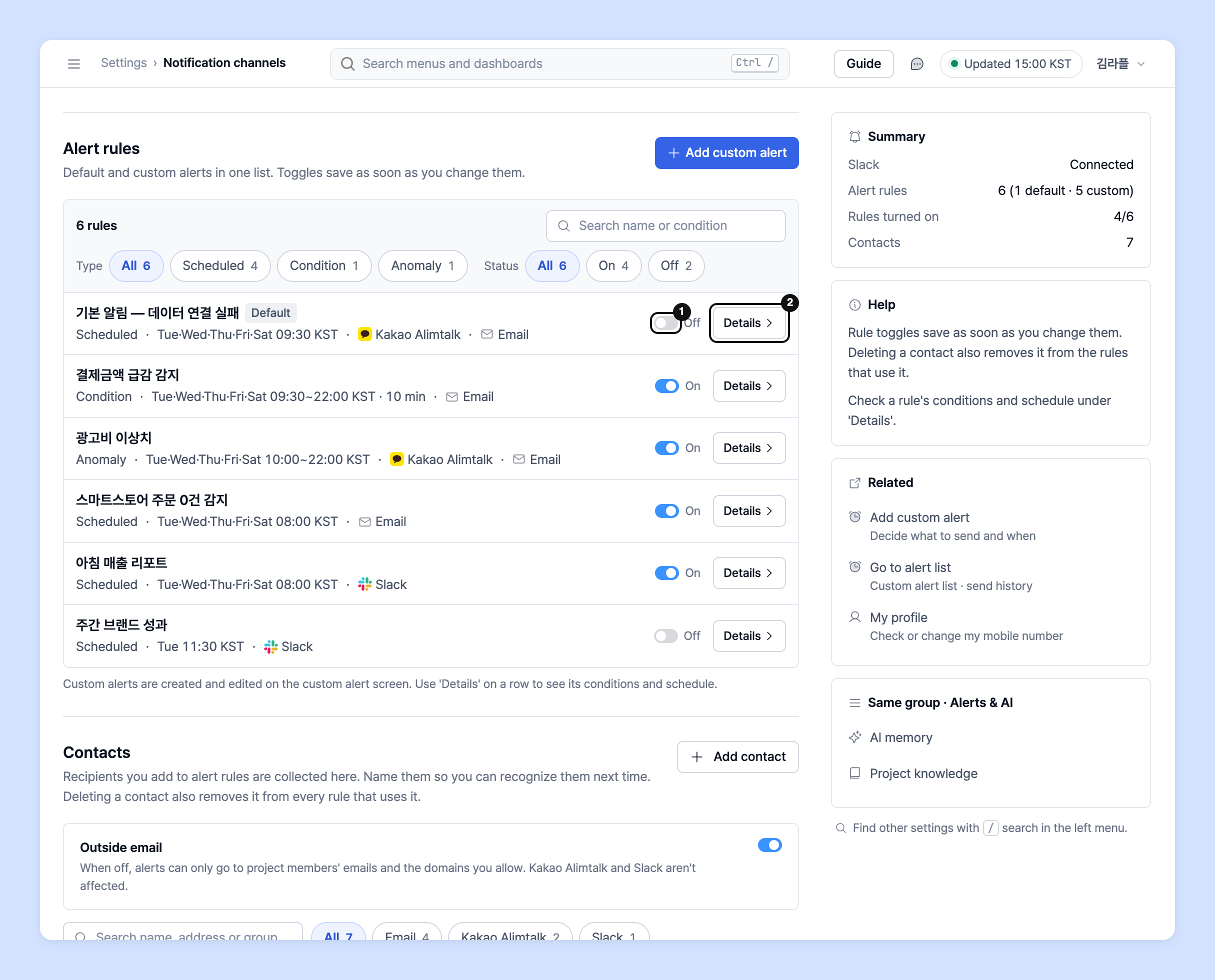
1. Click **Settings** at the bottom of the left rail.
2. In the navigation panel, go to **Alerts & AI** › **Notification channels**.
3. In **Alert rules**, turn on the toggle for the alert rows you want. Alerts whose channel shows Kakao Alimtalk are sent via Alimtalk.
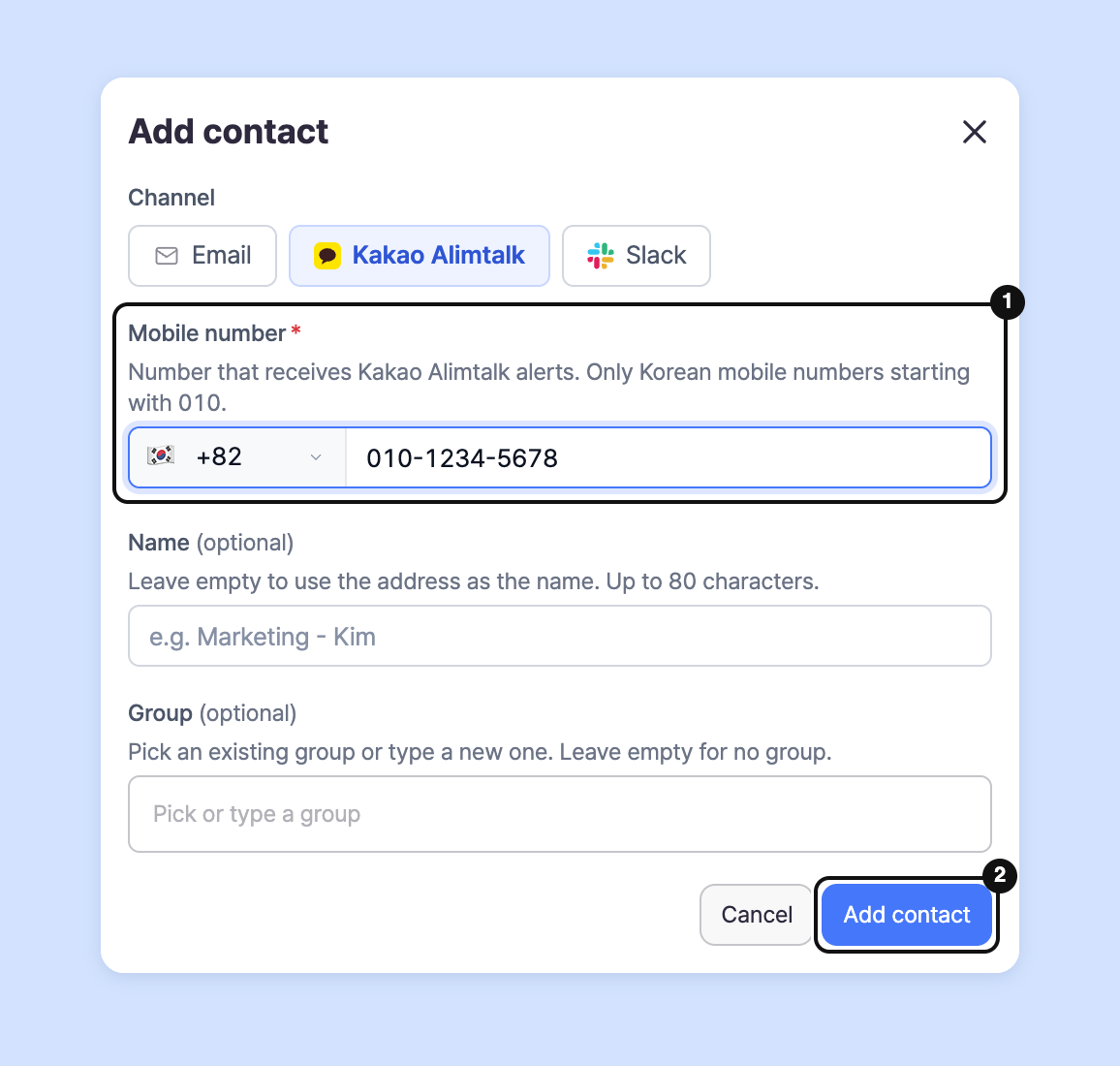
4. Check the receiving number. Default alerts are sent to the mobile number registered on your account. You can check and change it in **Settings** › **My profile**. 5. To receive on another number too, click **Add contact** in **Contacts**, choose Kakao Alimtalk as the **Channel**, enter the **Mobile number**, then click **Add contact**.
5. To add the new number to an alert, click **Details** on the **Alert rules** row to open the alert, add the number to **Contacts** under **Alert settings**, then save.

6. Kakao Alimtalk messages are sent to the registered number starting the next morning.
{% hint style="warning" %}
Things to note when setting up Alimtalk
* Toggles are saved the moment you change them. If saving fails, the toggle reverts to its previous value and a message appears.
* Kakao Alimtalk can only be received on **mobile numbers starting with 010**.
* If **several people share one account**, alerts go only to **numbers registered as contacts** on the alert.
* Deleting a number from **Contacts** also removes it from the alerts that use it. Alerts left with no contacts are turned off.
* Check whether the channel connection has been removed in **Settings** › **Data** › **Data source**. If you disconnect the data, you won't receive Alimtalk messages for that channel.
{% endhint %}
## Ask your dedicated manager
Have questions about setting up Alimtalk?
Contact us through the page below or by email. Your manager will help you.
> 💬 [Contact us on our website](https://www.analytics.laplacetec.com/contact)
**Email:** [**product@laplacetec.com**](mailto:product@laplacetec.com)